01
GO BACK
SHIFT+ENCODER PUSH ↓
Return to the previous page. In a confirmation, cancel. GEN subpages return to GEN first.
FIELD GUIDE / 0.4.0-BETA.3
A hands-on manual for RHYTHMER OS for MPC Sample.
WATCH THE FILM / FOLLOW AT YOUR OWN PACEYour first grooveAdapted from the Melodee user guide by Kerem Kiliç (Ellic Studio), with RHYTHMER-specific instructions by jazzy rhythmer. Full credits ↘
THE CONTROLS YOU NEED FIRST
Push means click. Turn means rotate. Read the screen’s current B1–B3 labels.
Return to the previous page. In a confirmation, cancel. GEN subpages return to GEN first.
Press together. Select a track; Push opens its sound. B1 TRACK SETUP changes its instrument or type.
Hold PAD BANK, tap the track pad, then release. Check the track number in the header.
Stage is the selected track’s sound home. Return here from PATTERNS to play the instrument.
Choose or launch patterns. Pads select patterns here; SAMPLE returns to playing sounds.
Save tracks, patterns and arrangement. User Sound / User Kit presets are saved separately.
Fine-adjust the last knob you touched. On Stage EDIT, turn K1–K3 first to choose the parameter.
From SEQ → PATTERNS. Read the target tracks and NEW SOUNDS / KEEP SOUNDS before applying.
NOTE REPEAT / ARP can temporarily replace soft-key labels with repeat rates. Turn it off to restore those menus. In a modal dialog, finish or cancel the dialog first.
OPEN THE ONE-PAGE REFERENCE ↗ONE PROJECT. CONNECTED IDEAS.
Synth or percussion voice: one sound, played across notes. Choose its preset; shape it in EDIT.
Native Sample Kit. Load audio onto pads or import an MPC kit. Trim, chop, tune and shape each pad.
Notes and controls for an external instrument. Choose its port and channel; arrange its part here.
Choose the sound, then change it. PERFORM is for hands-on effects. GEN writes ideas; Acid / Break expose their own operations.
Balance track levels, sends A–D and effects. Engine effects, track inserts and bus effects are separate stages.
Selecting a track chooses the part you work on. SAMPLE opens its sound. SEQ opens its patterns. TRACK SETUP changes its role; DELETE TRACK is a separate confirmed action.
OPEN THE ONE-PAGE OS MAP ↗01 / START HERE
READ THIS FIRST / TRACK BASICS
Track selection is not a page change. Selecting a track while on PATTERNS keeps that working page. Tap SAMPLE to open its sound. In a track-owned preset/load browser, changing tracks closes the old browser and opens the new track’s Stage.
Change a track type, step by step ↓ · Cancel, undo or get back ↓ · Save a sound or kit ↓
Make a beat, choose a sound and save an idea. You do not need to learn every engine before you start.
GUIDED FIRST SESSION / WATCH 2:51 / FOLLOW AT YOUR OWN PACEYour first groove with RHYTHMER OS. Four bars at 140 BPM: drums, bass, FM-106 pad chords, acid and Think break. Shape the sound, mix the tracks and perform a mute jam.Then follow the chapter that matches what you want to do next:
02 / START HERE
RHYTHMER OS for MPC Sample builds on Melodee’s groovebox foundation. A project combines up to 16 tracks, independent patterns, scenes, a song timeline, mixing and effects. The added engines, Rhythmer Kit, GEN tools and Break performance pages sit inside that environment.
| Object | What it holds |
|---|---|
| Track | One Sample Kit, one Rhythmer Kit / plug-in instrument, or one external MIDI part. |
| Pattern | Notes and recorded knob movements for one track. Each track has 128 pattern slots in banks A–H. |
| Scene | The corresponding pattern slot across tracks; useful for changing a whole section. |
| Song | Clips of track patterns arranged on a timeline. |
| Mixer | Track levels/pans, four send buses A–D, and master processing. |
| Looper | Four tempo-following audio loops, L1–L4. |
| Choose | Use it for |
|---|---|
| Sample Kit | Load and chop your own samples, or import supported MPC drum programs. Native sample pad editing. |
| Rhythmer Kit | Play many drum sounds on one track. Change a complete kit, edit a selected pad, or open PAD SOURCE to replace its engine/sound. |
| Individual engine | Play one selected sound chromatically or in a scale. A drum instrument here is one pitched drum sound, not a complete kit. |
| MIDI | Send notes, controllers and program changes to external hardware. No internal audio is created by a MIDI-only track. |
The panel labels are familiar, but the project structure is different. Pick a track first; its type determines what the pads and pages do. A pattern belongs to that track. A scene changes several tracks together.
03 / START HERE
| Control | General action |
|---|---|
| B1 / B2 / B3 | The three soft keys above the screen. Read their current labels; the same key has different jobs on different pages. |
| K1 / K2 / K3 | The three controls shown in the bottom knob cards. |
| Encoder / Push | Turn to browse or change focus; push to select. EDIT moves through the parameter list in groups of three. |
| SHIFT + Push | Go back one page; in a confirmation, cancel. |
| SHIFT + − / + | Undo / redo. |
| PAD BANK held + Pad 1–16 | Choose track 1–16. |
| SAMPLE held + pad | Select a Sample Kit pad without sounding it. |
| PLAY / STOP | Start / stop transport. SHIFT + PLAY continues from the current position. |
| SHIFT + STOP | End held notes. Double STOP within 400 ms cuts all audio in the current RHYTHMER version. |
If a physical knob is away from the value on screen, takeover prevents an immediate jump. Configure the response in Settings → KNOBS. Read the highlighted card and its secondary SHIFT value before changing it.
04 / MAKE SOUND
Hold PAD BANK + track pad → release → tap SAMPLE → Stage
Stage is the selected track’s sound home. Tap SAMPLE from another page to reach it; tapping SAMPLE again returns Stage to its first sound page. Holding SAMPLE shows the track’s Pads / Keys view temporarily. Tracks is reached with PAD FX + KNOB FX.
For an overview, press PAD FX + KNOB FX together to open TRACKS. Turn the encoder or tap its numbered pad to select it; Push opens its Stage. An unused track, or one deliberately set to EMPTY, opens the same type-selection carousel. A Sample Kit with no audio loaded is still an assigned Sample Kit.
| What you want | Exact route |
|---|---|
| Add an instrument to EMPTY | Open its Stage → turn to PLUG-IN → Push → select engine → Push. |
| Make a native Sample Kit | EMPTY Stage → KIT card / B2 KIT. Use SAMPLE SELECT to load the selected pad. |
| Use external MIDI | EMPTY Stage → MIDI card / B3 MIDI, then configure device, port and channel. |
| Open a loaded track | PAD BANK + track pad → SAMPLE; or TRACKS → select → Push. |
| Change only the instrument | TRACK SETUP → CHANGE PLUG-IN; or plug-in PRESETS list → B2 PLUG-INS. |
| Choose another sound in this engine | Stage PRESETS → Push → browse → Push / B3 LOAD. |
PAD BANK + track pad → PAD FX + KNOB FX → B1 TRACK SETUP
TRACK TYPE changes the sound family while keeping all 128 patterns, the current pattern, playback speed, mixer and inserts. EMPTY removes the instrument and keeps the sequence. Source-specific pad and modulation state resets when changing family; existing notes are not remapped to a new instrument.
LOAD MPC KIT loads only the chosen kit into this track and preserves its patterns. It does not open the whole project. Cancel returns without replacing the current sound. Use SHIFT + Minus to undo an accepted instrument or type change, and SHIFT + Plus to redo it.
Use LOAD MPC KIT for a kit-only import. Use SHIFT + Pad 16 → OPEN when you intend to open an entire project. These are different operations.
05 / MAKE SOUND
Empty track → KIT · SAMPLE SELECT → choose a file → Push
Sample Kit is the native sampling path. It is separate from Rhythmer Kit, which hosts synthesis engines. A Sample Kit can address 128 pads over banks A–H; the project’s sample pool and an engine’s internal voices are different limits.
| Stage key | Pages |
|---|---|
| B1 | SOUND · TRIM · LAYERS · TUNE · AMP ENV |
| B2 | PLAY · COLOUR · FOLLOW · CLOUD |
| B3 | MIX · SENDS · FILTER · FILT ENV · KIT FILT |
Press the lit soft key again to cycle its pages. Hit a pad to select the sample being edited. TRIM sets start/end/loop point; MIX changes pad/kit level and pan; TUNE changes pitch and Warp; PLAY contains voice and mute-group behavior. FILTER affects the selected pad, while KIT FILT processes the kit as a whole.
SAMPLE RECORD opens recording for a Sample Kit. Choose the input source, length and threshold; tap a target pad to start, and use STOP, Push or the pad again to finish. SHIFT + SAMPLE opens Input Config for source, gain and monitoring. Set monitoring intentionally to avoid recording a feedback loop.
Resample records internal sound. Audio Recall retrieves recent audio; sequence Recall retrieves played notes. They are different functions. Supported MPC .xpm/.xty programs can supply a kit; importing does not guarantee an exact recreation of every proprietary stock effect or setting.
06 / MAKE SOUND
Empty track → PLUG-IN → Rhythmer Kit → PRESETS
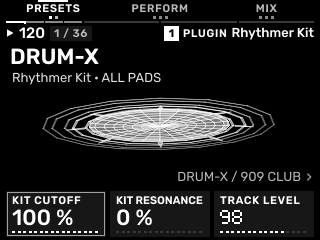
Start with one of 36 complete kits, each with 16 populated pads. Select the kit in PRESETS with the encoder or K1, then Push / LOAD. A kit is one track containing many sounds.
| Where | What it changes |
|---|---|
| PRESETS → choose → Push / LOAD | The complete kit. |
| Stage B1 EDIT → Push → PAD SOURCE | Pad / Engine / Sound: replace only the selected pad. |
| Separate editor B3: PAD SOURCE → SAVE → EDIT | Cycle the three edit views. |
| EDIT first row: KIT CUTOFF / KIT RESONANCE / KIT FILTER TYPE | The whole kit sum. ALL PADS identifies this scope. |
| EDIT subsequent rows: P01–P16 | The selected pad’s original sound controls. |
| SAVE → slot → Save Kit | K1 slot 1–64 → turn K2 Save Kit → wait for Status Ready. Stores the complete kit, pad overrides and whole-kit filter. |
| Stage B3 MIX / SENDS / FX | Track-level mixer and effects. |
In PAD SOURCE, K1 selects Pad, K2 selects Engine and K3 selects Sound. Hit a pad or turn Pad to change the edit focus. A P11 label means the eleventh destination pad. Check that pad number and source before editing. Pad-source effects belong to that engine instance; the kit filter, host PERFORM controls and track sends are separate.
07 / MAKE SOUND
Empty track → PLUG-IN → engine → PRESETS
Load an individual engine for a bass, melody or one playable percussion voice. Turn the encoder or K1 in PRESETS, then Push / LOAD to select a program. Merely moving through the list does not load a program. Stage PRESETS retains its native audition behavior: turning there can change the sound after a short delay. The opened preset list instead waits for Push / LOAD. Save your work before auditioning another factory preset.
The first controls mirror the engine’s filter/resonance or representative sound controls. B2 opens PERFORM with DJ FILTER, ECHO and SPACE, followed by ARP / CHORD. B3 retains MIX / SENDS / FX. Press B1 until EDIT is selected for Stage EDIT and its original sound controls.
To save a reusable sound, tap SAMPLE, press B1 for EDIT and Push the encoder at PUSH: SAVE SOUND. In SAVE, K1 chooses slot 1–64 and turning K2 Save Sound to SAVE writes it. Wait for Status Ready. B2 PRESETS lists it as User Sound 01, 02, and so on; select it and Push / LOAD. A used slot is overwritten. Save the project separately for patterns and arrangement.
08 / MAKE SOUND
SAMPLE → B1 EDIT → K1–K3 · Push → source / save tools
Tap SAMPLE, then press B1 until EDIT is selected. Stage B1 still cycles PRESETS / EDIT. Turn the encoder or − / + to browse sound controls; Push opens the source/save tools shown by the visible hint. Individual engines start on SAVE and Rhythmer Kit starts on PAD SOURCE. B2 PERFORM / ARP / CHORD and B3 MIX / SENDS / FX on Stage keep their existing jobs. Third-party plug-ins without Rhythmer’s tool layout retain native Push behavior. The sound-control view keeps the native six-line list. Turn the encoder or use − / + to move by three controls; K1–K3 adjust the visible active row. Position and total are shown. Original EDIT, ENV, LFO and FX controls follow their source order with the original units. There is no extra MAIN or PAGES menu.
| Control / view | Action |
|---|---|
| Encoder / − / + | Move by three parameters in EDIT. |
| K1 / K2 / K3 | Change the corresponding highlighted values. |
| B3 in the separate full editor | Cycle SAVE / EDIT. |
| B3 in the separate kit editor | Cycle PAD SOURCE → SAVE → EDIT. |
| Kit first row | Whole-kit filter; ALL PADS. |
| Kit following rows | Focused pad controls; check P01–P16. |
| B2 PERFORM from Stage | DJ FILTER / ECHO / SPACE, separate from native sound effects. |
Dexed, DRUM-X, Plaits, CS-1 and MONO2K have OUTPUT CUTOFF, OUTPUT RESONANCE and OUTPUT FILTER TYPE in their first EDIT row. At 100% cutoff, 0% resonance and LP they bypass without altering the original output. Factory selection resets these additions to neutral; User Sound and project saves keep your settings.
09 / MAKE SOUND
Twenty entries appear in the selected plug-in list. Sample Kit and MIDI remain native track choices outside that list. Original instrument names identify the sound sources; a model choice inside an engine is not automatically a separate preset bank.
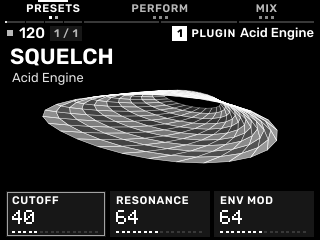
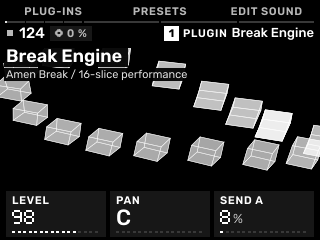
These symbolic graphics give each engine its own visual character. The examples move without playing audio; pause them to study a screen. Reduce Motion preferences are respected.
A whole kit. A new starting point.
Follow the squelch.
A loop is only the beginning.
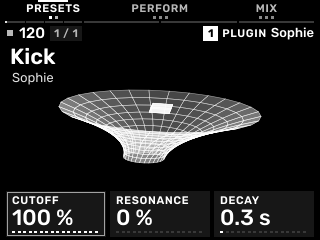
Small hits. Big personality.
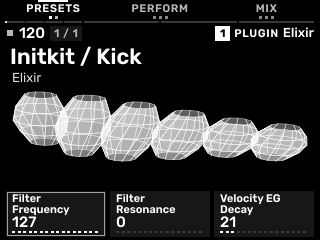
Percussion beyond the familiar.
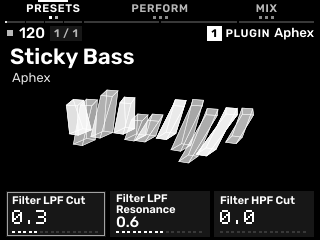
Take the less obvious turn.
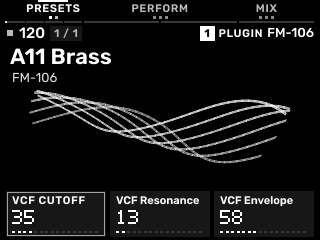
A little frequency friction.
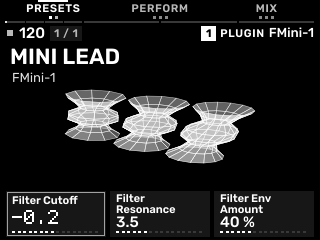
Make room for FM.
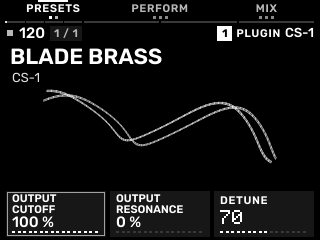
Start simple. Shape something yours.
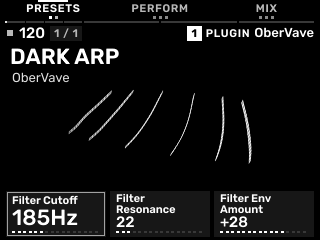
Oscillators with room to move.
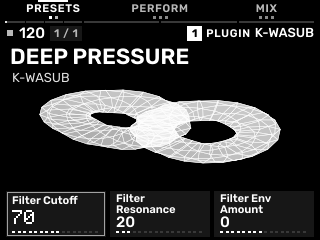
Go deep under the groove.
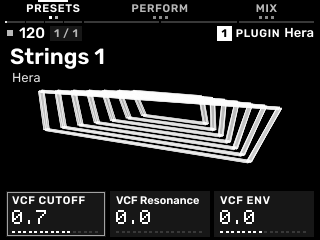
A familiar warmth. A fresh context.
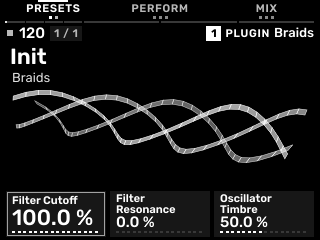
One voice. Many directions.
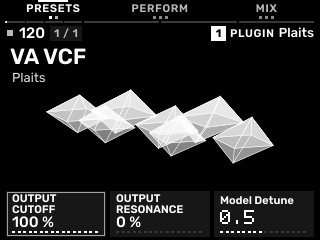
Different models. Different moods.
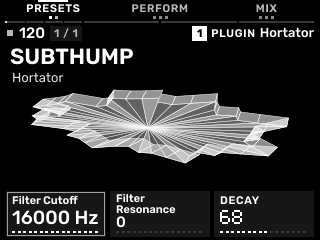
Find another kind of knock.
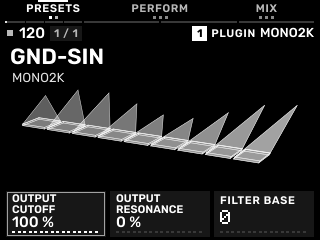
A machine within the machine.
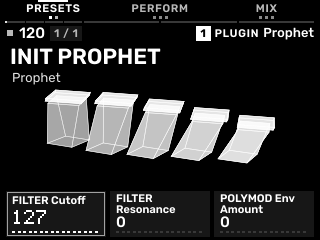
Shape the next phrase.
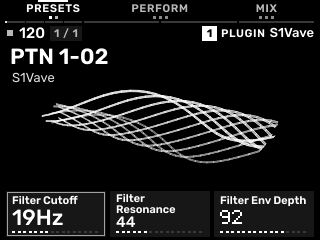
Another voice in the box.
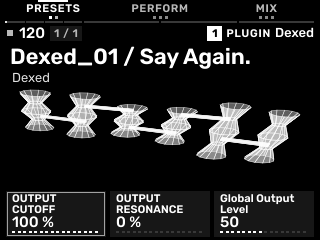
FM, with depth.
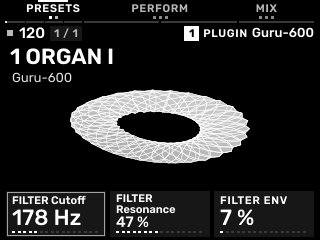
From a patch to a part.
10 / BUILD A GROOVE
SEQ → PATTERNS · use the labelled SEQUENCE hub for STEPS / ROLL / MOTION
Patterns sets length, grid and swing: K1 length, K2 grid, K3 swing. A one-bar pattern on a 1/16 grid gives sixteen step positions in 4/4. Long native patterns and the Acid Generator’s 1–64-step operating range are not the same limit.
| Page | Use |
|---|---|
| STEPS | Set or clear steps. K1 length, K2 velocity, K3 probability. Hold a step to edit its locks. On a kit, select the sound/lane you intend to enter. |
| TRIG | Press STEPS again for ratchet, ramp and conditional triggering. Fill conditions respond while PLAY is held during playback. |
| EUCLID | The native kit variation layer: hits, steps and rotation. |
| ROLL | Pitch/pad rows with note length, velocity and probability. The note sheet provides accent, slide, tie and deletion. |
| STEP EDIT | SHIFT + SEQ for stopped, one-step-at-a-time note entry. REST advances without adding a note. |
| MOTION | Recorded knob changes. Turn controls with sequence recording enabled; erase a lane with ERASE plus that control. |
Hold SEQ and press a pad to queue that track’s pattern. Several pad choices form a pattern chain. Hold SEQ + SHIFT and press a pad to launch the corresponding scene across tracks. A pattern launch normally waits for the next bar while transport runs.
SHIFT + SEQ RECORD recalls the recent played phrase into the next empty patterns on the tracks that played. It records notes rather than sampling audio. Keep this distinction when deciding between Recall, Audio Recall and resampling.
11 / BUILD A GROOVE
SEQ → PATTERNS → SHIFT + B3 → GEN
GEN uses the FM-1 Rhythmer generator lineage. K1 sets Energy, K2 selects Explore / Random / a genre, and K3 sets Seed. Turn the encoder to an operation, then Push or APPLY. Read both the target range and NEW SOUNDS / KEEP SOUNDS message before applying.
| Operation | What changes |
|---|---|
| GENERATE SONG | The selected four-track group: first track gets Rhythmer Kit; three melodic roles get sounds and notes. Root, scale and tempo can also change project-wide. |
| MUTATE SONG | Patterns in that group, preserving its instruments. |
| GENERATE Tn / MUTATE Tn | The selected track’s current pattern, keeping its instrument. |
| ENGINE GEN | ACID GEN on Acid Engine; BREAK GEN on Break Engine; otherwise the retained variation tools. |
| GEN SETUP | Choose SOUND + MIDI or MIDI ONLY, and the appropriate target. |
SOUND + MIDI uses one group: T1–T4, T5–T8, T9–T12 or T13–T16. K1 SONG GROUP selects it. Tracks outside that group retain their patterns and sounds, but project root/scale/tempo are shared.
MIDI ONLY uses its own inclusive MIDI FROM / MIDI TO range. Equal endpoints target one track. It generates note data without assigning instruments, so load suitable sounds yourself. These two target settings are remembered separately.
Reapplying Generate Song without adjusting its settings chooses a new seed while avoiding the last eight random draws. Enter a previous seed to return to the same starting conditions. Mutate also uses the existing pattern as input. Undo restores the operation’s pattern, sound and relevant project changes together.
B2 cycles GEN → VARY → GEN SETUP → GEN; its label shows the next destination. OPEN enters a subpage, APPLY runs an operation, SELECT confirms the group and DONE returns from the MIDI range screen. Back from engine GEN returns to main GEN; Back again returns to PATTERNS. Screen BACK and SHIFT + Push follow the same GEN hierarchy.
12 / BUILD A GROOVE
Acid Engine track → SEQ → PATTERNS → SHIFT + B3 → ACID GEN
Generate a bassline specifically for the Acid Engine, then mutate it while keeping the changes on this track. This is the dedicated TB-3PO-derived Acid Generator from the FM-1 lineage, not the generic song generator with a different sound attached.
| SETTINGS page | Controls |
|---|---|
| 1 / 2 | Density 0–100% · Accent 0–100% · Slide 0–100% |
| 2 / 2 | Octaves 1–3 · Base Octave 0–4 · Auto Mutate OFF or every 1–16 bars |
Accent becomes the original 127/96 velocity distinction. Slides become sequence slide commands; ties lengthen an existing note rather than retriggering it, including across pattern boundaries. Acid has its own track-local random state; it does not share the four-track GEN seed.
Finished your first beat? Add an acid part next ↗13 / BUILD A GROOVE
Break track → SEQ / PATTERNS → SHIFT + B3 GEN → ENGINE GEN / BREAK GEN → BRK PERF
Break Engine prepares a loop; Break GEN rearranges its slices; Break Manipulator is the six-page BRK PERF interface for playing those slices, rolls and A/B source changes. It brings the FM-1 performance approach into the MPC Sample workflow.
| Action | Result |
|---|---|
| STRAIGHT | Replay source-order slices across the pattern. Use it to check alignment. |
| GENRE CHOPS | Create a genre-based slice arrangement and fills. |
| RANDOM CHOPS | Rearrange slices while retaining the opening downbeat; stronger Energy can add retriggers. |
| MUTATE CHOPS | Change offbeat slices while preserving quarter-note anchors and automation. Start with an existing pattern. |
| TAIL FILL | Add end-of-pattern slice fills and 2× / 4× ratchets. |
| BROWSE SAMPLE | Load or reinterpret the source; LOAD BARS affects the next load. |
K2 Genre and K3 Seed shape generation; the main GEN Energy controls Random/Mutate intensity. To change an existing loop’s bar interpretation, set LOAD BARS and load that file again. Break’s dedicated performance DSP is mono; stereo source material is summed for that path.
14 / BUILD A GROOVE
| Page | Play / shape |
|---|---|
| 1 · CHOPS | Pads 1–16 play slices. Orbit, DJ Filter and Loop Hold (Freeze) on the knob cards. |
| 2 · ROLLS / HOLD PADS | Hold a pad for Repeat, pitch Up/Down, Shrink, Build, Stretch or Echo. Release to end the held command. |
| 3 · SOURCE A / B | Pad 1 selects A; Pad 2 selects B; Pad 3 returns to straight playback. Play Mode, Freeze and DJ Filter remain available. |
| 4 · LOOP VARIATIONS | Variation, Drift and Tail Fill. Variation/Drift apply from the next phrase in LOOP mode. |
| 5 · GRAIN / STRETCH | Grain size, seam crossfade and 2–4× stretching at source pitch. |
| 6 · TRACK MIX | Whole-track level, pan and Send A. |
On SOURCE A / B, LOAD B opens the second loop. Both sources use the same declared bar count, even when their files contain different frame counts. Load B before selecting it. RETURN restores the straight source/variation state.
CHOP follows the slices written in the sequence. LOOP follows the internal break phrase while the sequence gate is open, including Variation and Drift. A newly generated slice pattern starts in CHOP; choose LOOP when exploring phrase variations.
Turn or push the encoder to move through BRK PERF pages. GEN returns to Break’s generation menu; its BACK returns to main GEN. Use RETURN when you want to remove the current variation/held performance state. Save the project with its user loops.
15 / FINISH & CONNECT
SHIFT + Pad 12 → SONG
Each lane belongs to one track. Choose a lane with the pads; turn the encoder to move by bars. K1 zooms the timeline, while K2/K3 choose a clip’s pattern and duration. B3 places a clip or duplicates the selected one. Push opens its notes; ERASE removes the selected clip.
When Song runs, launched patterns can be captured as clips. CHOP splits a clip at the cursor; LOOP loops its bar range. Use markers and tempo changes to structure an arrangement rather than assuming every pattern on every track must have the same length.
Open EXPORT with B1. Select a WAV mixdown, stems or a MIDI file, then export with B2. WAV choices include 32-bit float, 24-bit and 16-bit. NEW PATTERN writes the song into patterns instead of rendering audio. MIDI export contains events, not the sound of the engines.
The RHYTHMER card paths use Rhythmer/Mixdowns, Rhythmer/Stems and Rhythmer/MIDI. Keep the card mounted and give the render time to finish. Verify the resulting files before clearing the source project.
16 / FINISH & CONNECT
LOOP + 16 LEVELS → LOOPER
L1–L4 are audio loops, separate from note patterns. Enable the Looper first with B3 or Push. K1 selects the loop, K2 its length and K3 its level. SHIFT exposes feedback, quantization and the action after recording.
| Pad row | Loop job (one column per loop) |
|---|---|
| 13–16 | Record / overdub / play |
| 9–12 | Queue play/stop for the next bar; SHIFT makes it immediate. |
| 5–8 | Undo / redo the previous overdub. |
| 1–4 held | Clear the corresponding loop. |
MORE → COMMIT places a loop onto the next empty pad of the selected Sample Kit. The Looper’s MIX page and effect chains shape its audio. Loops save alongside the project; preserve those accompanying files when moving it.
17 / FINISH & CONNECT
PAD FX + KNOB FX → TRACKS → B2 SENDS · SHIFT + KNOB FX → chains
The signal path is: source → track effects → track level/pan → sends A–D → bus effects/return → master effects/compressor → MAIN VOLUME. A native Sample Kit can additionally use a pad chain before the track chain. Original engine FX live inside the source and are separate from these host effects.
| Location | Use |
|---|---|
| Tracks | Set each track’s level/pan, watch its activity and identify expensive parts. |
| Sends | Choose bus A–D and set the selected track’s send plus the bus return. |
| Track / Bus / Master chain | Six slots per chain. Turn to a slot; Push + to add an effect; Push an existing effect to edit it. |
| Knob FX / Pad FX | Hands-on performance processing, retained from the foundation workflow. |
| Compressor / Gate KEY | Use a track or bus as a sidechain source where the effect exposes KEY. |
In a chain, B1/B3 move among its scopes; BYPASS toggles the selected effect, and MORE changes, moves or removes it. K1–K3 edit the displayed values; −/+ accesses the next row. Delay SYNC uses musical note values where available.
Record knob changes as Motion for repeatable filter or effect moves. For deliberate cross-modulation, use MOD assignments and separate parameter ranges. Macros move several parameters from one control; they do not replace the instrument’s original internal modulation.
18 / FINISH & CONNECT
SHIFT + Pad 8 → MIDI
Choose the external MIDI jacks or USB, then set input/output channels and sync mode. An input on the selected-track channel follows the selected track; a dedicated track channel addresses that track directly. MIDI-only tracks need external audio routing to hear the receiving instrument.
| Setting | Purpose |
|---|---|
| In / Out / Track channel | Route incoming notes and outgoing events intentionally. |
| Pad MIDI in/out | Choose whether pad events are routed Never, Always or only when Empty. |
| Sync in/out | MIDI Clock or MTC where supported. External sync status appears in the header. |
| MIDI thru | Forward incoming events; avoid a feedback loop with your interface. |
| Receive program change | Launch patterns from program changes when enabled. |
| MIDI panic | End held notes on all channels/ports. |
The inherited input path accepts note/pressure data, pitch bend and mod wheel on supported plug-in/MIDI tracks. A native kit begins at MIDI note 36 for A01. Each engine may implement a different subset of expressive controls. Start with one cable path and one channel, then add clock after note routing works.
19 / FINISH & CONNECT
SHIFT + Pad 16 → SAVE / OPEN / NEW
Save the project for patterns, arrangement, track/kit state and sample references. Save Sound / Save Kit creates a reusable user preset instead. A preset does not replace a project save.
| What you save | Where / what to keep |
|---|---|
| Project | Rhythmer/Projects and associated project files/folders. Preserve referenced user audio. |
| User Sound / User Kit | Rhythmer/Presets; slots 1–64 per host view. Wait for Ready. |
| Recorded samples | Samples/Recorded. Keep source recordings with the card backup. |
| Plug-ins | Rhythmer/Plugins plus required data/sidecars. Existing top-level Plugins paths remain readable. A project does not contain every plug-in binary. |
| Mix / stems / MIDI | Rhythmer/Mixdowns, Rhythmer/Stems, Rhythmer/MIDI. |
OPEN browses projects. MORE provides operations such as save-as, duplicate, rename and startup selection. Load kit (no patterns) imports kit material without replacing the arrangement. Opening stock MPC Sample projects follows the supported import path and creates a working copy; not every proprietary setting has an equivalent.
In the source/save tools, hold SHIFT: B3 becomes TRANSPORT. B3 toggles whether this plug-in receives the host’s playing/stopped state. ON lets transport-aware internal sequencers or arpeggiators follow playback. OFF reports stopped even while the OS plays. Notes still reach the instrument; this is not mute or global Play/Stop. Engines that do not use host playback state may sound the same in either setting.
On Stage EDIT, turn K1, K2 or K3 to choose the last-touched parameter, then hold SHIFT and turn the encoder for fine adjustment. Turning the encoder without SHIFT moves through rows of sound controls. Encoder Push on supported engines now opens source/save tools; it no longer cycles the three card selections as stock Melodee does. External plug-ins retain their original Push behavior.
Back up the entire card first, including projects, presets, user loops and plug-in data. For this first public beta, use the full SD package, preserving autorun/ and Rhythmer/ at the card root and engines in Rhythmer/Plugins. Later compatible signed UPDATE packages replace the app only, not engines or kits. Match the release version and SHA-256 before copying files. Installation, package choices and stock recovery ↗. The 0.4.0-beta.3 full SD package includes the updated app, plug-ins and catalogue. Physical-device validation remains pending.
For the current owner-test target, the launcher expects MPC Sample AC50 firmware 1.3.0.12. Treat that as a release-specific requirement, not support for every firmware revision. Do not use an FM-1 installer or a stock-app enhancement patch for this OS.
20 / FINISH & CONNECT
Freeze prints an instrument part so playback can use less processing. Deep Freeze also unloads the live instrument. The original foundation provides both options; use Unfreeze before editing the instrument or changing its notes.
Manual GEN and Break edits ask you to Unfreeze first. Automatic Acid mutation skips frozen tracks. Keep your source plug-ins and samples with the project so you can restore the editable part. Check the result on the actual device before building a larger session.
21 / REFERENCE
SHIFT + Pad 8 → SETTINGS
| Page | What to adjust |
|---|---|
| PADS | Pad response, pressure, lights, sequence duplication and Recall behavior. |
| KNOBS | Pickup, Scaled or Instant takeover for the knobs and performance controls. |
| SCREEN | Display options offered by the current build. RHYTHMER screens use its monochrome presentation. |
| AUDIO | Sample rate and buffer size. A longer buffer can ease dropouts; a shorter one reduces buffering delay. |
| SAMPLING | Recall and free recording preferences. |
| MIDI | Ports, channels, routing and sync. |
| ABOUT | Load, dropouts, card space and source credits. |
Settings apply across projects. Changing sample rate restarts the audio path. Test timing and CPU load on the actual MPC Sample, especially with multiple heavy engines or separately edited kit pads.
Use the complete SD package, including Rhythmer/Plugins, for this first public beta. Back up the card before copying files. UPDATE packages replace the app only and are not first-install packages. Use Rhythmer-signed packages; upstream Melodee update ZIPs are not Rhythmer updates.
A short POWER press opens Exit. STAY returns to the session; POWER OFF saves and shuts down; MPC APP saves and switches back to the stock application for that boot. Use the matching release’s recovery instructions if startup fails. Do not remove the card while it is saving.
22 / REFERENCE
| Control | Action | With SHIFT / context |
|---|---|---|
| SAMPLE | Tap: selected track’s Stage. Hold: temporary Pads / Keys view. | Input Config |
| SEQ | Patterns → editor | Step Edit |
| PAD FX + KNOB FX | TRACKS; then B1 TRACK SETUP to change instrument/type | Repeat/ARP may temporarily own the soft keys |
| PAD BANK held + pad | Select track 1–16 | — |
| SEQ held + pad | Launch the selected track’s pattern | Launch a scene with SEQ + SHIFT + pad |
| SAMPLE SELECT | Browser appropriate to the track | Save Sample / Save Bank in the appropriate browser |
| SAMPLE RECORD | Record a sample | Audio Recall |
| SEQ RECORD | Arm / toggle pattern recording | Recall recent notes |
| PLAY | Play from start; hold during playback for Fill | Continue |
| STOP | Stop; double press cuts audio in this build | All notes off |
| Encoder Push | Select / open; follow the current label | Back |
| − / + | Context: octave, bank, page or selection | Undo / redo |
| LOOP + 16 LEVELS | Open Looper | — |
| Pad | Action | Pad | Action |
|---|---|---|---|
| 1 | Full Level | 9 | Fader |
| 2 | Half Seq | 10 | Rec Quantize |
| 3 | Double Seq | 11 | Resample |
| 4 | Count-In | 12 | Song |
| 5 | Compressor | 13 | Trim Sample |
| 6 | Half Speed | 14 | Time Correct |
| 7 | Double Speed | 15 | Warp: time stretch / pitch |
| 8 | Settings (includes MIDI) | 16 | Project |
23 / REFERENCE
| What happens | Check first |
|---|---|
| No sound after GEN | MIDI ONLY does not load instruments. Check the track’s engine, current pattern, mute, source level, mixer and output. |
| Only one drum sound plays | You may be on an individual percussion instrument. Use Rhythmer Kit for a complete kit, then verify each pad’s SOURCE assignment. |
| A pad is much louder | Reduce that sound in EDIT, then adjust the whole-kit level on Stage MIX. Preserve headroom before master processing. |
| Break timing is wrong | Check LOAD BARS and the true source start. Re-load with the correct 1–4-bar count and test STRAIGHT. It is not transient-based auto-chop. |
| Break variation seems inactive | Variation/Drift act in LOOP mode from the next phrase. Generated slice patterns begin in CHOP. |
| Source B will not play | Load B on SOURCE A / B first. Both A/B use the selected source-bar interpretation. |
| Acid controls are absent | Select an Acid Engine track before opening engine GEN. The dedicated generator works with 1–64 steps. |
| A knob does not move immediately | Check takeover mode and the selected edit row. The visible card may require pickup/scaling. |
| A long note keeps sounding | Stop and use SHIFT + STOP / double STOP. Check release, delay/reverb tails, sequenced ties and external sustain. |
| Crackles or late response | Inspect load, reduce expensive voices/engines/effects and try a larger buffer. Measure on the hardware. |
| A project opens without its sound | Check the matching plug-in folders, their data and referenced samples on the card. A project is not a plug-in installer. |
When reporting a beta issue, include the build version, engine/preset or kit, track/pattern, exact steps, and whether it survives a save/reload. A short screen/audio example makes a routing issue much easier to distinguish from a synthesis issue.
24 / REFERENCE
This manual is based on the Melodee user guide by Kerem Kiliç (Ellic Studio) and contributors. It has been rewritten and adapted by jazzy rhythmer for RHYTHMER OS for MPC Sample, including its track choices, Rhythmer Kit, native PRESETS/EDIT interface, four-track GEN, dedicated Acid Generator and Break Manipulator. The original creators retain credit for their work.
| Source / contribution | Credit | Scope |
|---|---|---|
| Melodee / sample-base | Kerem Kiliç (Ellic Studio) and contributors | Sampler, sequencing, mixer, effects, driver/recovery and project foundations. |
| RHYTHMER OS for MPC Sample | jazzy rhythmer | Engine ports/adaptations, integration, Rhythmer Kit, GEN/Break additions and revised interface/workflow. |
| FM-1 generator lineage | Juan Ignacio Antonucci (Juan Jiant), Leo Kuroshita / Hügelton Instruments, jazzy rhythmer and the credited FM-1 contributors | Original musical generation sources and adaptations. |
| Acid generation | schwung-tb3po → Phazerville Hemisphere Suite / djphazer lineage | Dedicated generator ancestry; original source headers/notices retained. |
| Break performance | Presethead Jungle Choppa; Amenity / FM1 Open contributors; M-VAVE; Rhythmer adaptation by jazzy rhythmer | Original performance DSP and the subsequent host reader/state/command/UI integration. |
| Sophie | Matt Estela and digisophie contributors | Original instrument DSP; MIT notices retained. |
| Hortator | DEADACTIVE and the Felucca / Skiff lineage | Original percussion synthesis/models; dependency notices retained. |
| Elixir | dmajka; Erica Synths LXR-02; Julian Schmidt / Sonic Potions; credited Mutable Instruments contributors | Original engine/FX lineage. Factory data terms are separate from software licences. |
| FM-1 instruments | Their original authors and dependencies, linked below | Original DSP authorship is separate from RHYTHMER’s host adaptation. |
| Move / Schwung instruments | Original module and DSP authors, linked below | Original names and source attribution retained. |
| Open MPC / Schwung adapter | open-mpc/mpc-vst-plugins contributors | Plug-in hosting adaptation/wrapper foundation. |
| JUCE / Rubik | JUCE contributors / Rubik Project Authors | Framework and font; original licence terms retained. |
The adapted manual and its generated HTML are provided under GNU AGPL-3.0-only. The readable HTML, styles and JavaScript are included with this static page. See documentation source notes for the pinned reference and adaptation record. Individual engine code, preset data, recordings, fonts and device marks keep their separate notices and terms; this manual does not relicense them.
The MPC Sample device wordmark identifies the hardware. MPC Sample and associated marks belong to inMusic Brands, Inc. This independent project has no manufacturer or upstream endorsement. Thanks to the original authors and communities who made these instruments and tools possible.
25 / APPENDIX
Follow the same four-bar, 140 BPM session as the film: Rhythmer Kit drums, FMini-1 bass, FM-106 pad chords, Acid Generator and Think break, then Filter + Plate, mixer balance and track-mute jamming.
Watch the complete session above, then open the step-by-step guide for the notes, button combinations, screen walkthroughs and mix settings.
YOUR FIRST GROOVE WITH RHYTHMER OS. ↗