SP1200
A focused, grainy edge.
A 12-bit sampling family with distinct RAW, WARM and restrained DYNAMIC output colors.


ANALOG EMULATION AUDIO PROCESSOR
Choose a sampler character. Combine two independent stages. Finish the sound with a filter, compression and limiting, then keep the take.
IN DEVELOPMENT · iPHONE / iPAD / AUv3 EFFECT
START HERE / CHOOSE YOUR CHARACTER
Each sampler model combines its own conversion family and playback behavior. 303VS adds JR’s vinyl-inspired compression, texture and pitch movement.
SP1200
A 12-bit sampling family with distinct RAW, WARM and restrained DYNAMIC output colors.
S950
A variable-bandwidth sampling family, with recording emphasis and a refined six-pole playback model treated separately.
ASR-10
A 16-bit conversion family with normal / low-clock character and a modeled voice-filter path.
MPC60
The nonlinear 12-bit storage family, with its own bandwidth and playback contour.
MPC3000
A 16-bit, 44.1 kHz conversion family with modeled reconstruction and output contour.
303VS
JR’s original vinyl-inspired mode: compression, surface texture and pitch motion. 303VS means Vinyl Simulation.
THEN / BUILD YOUR PATH
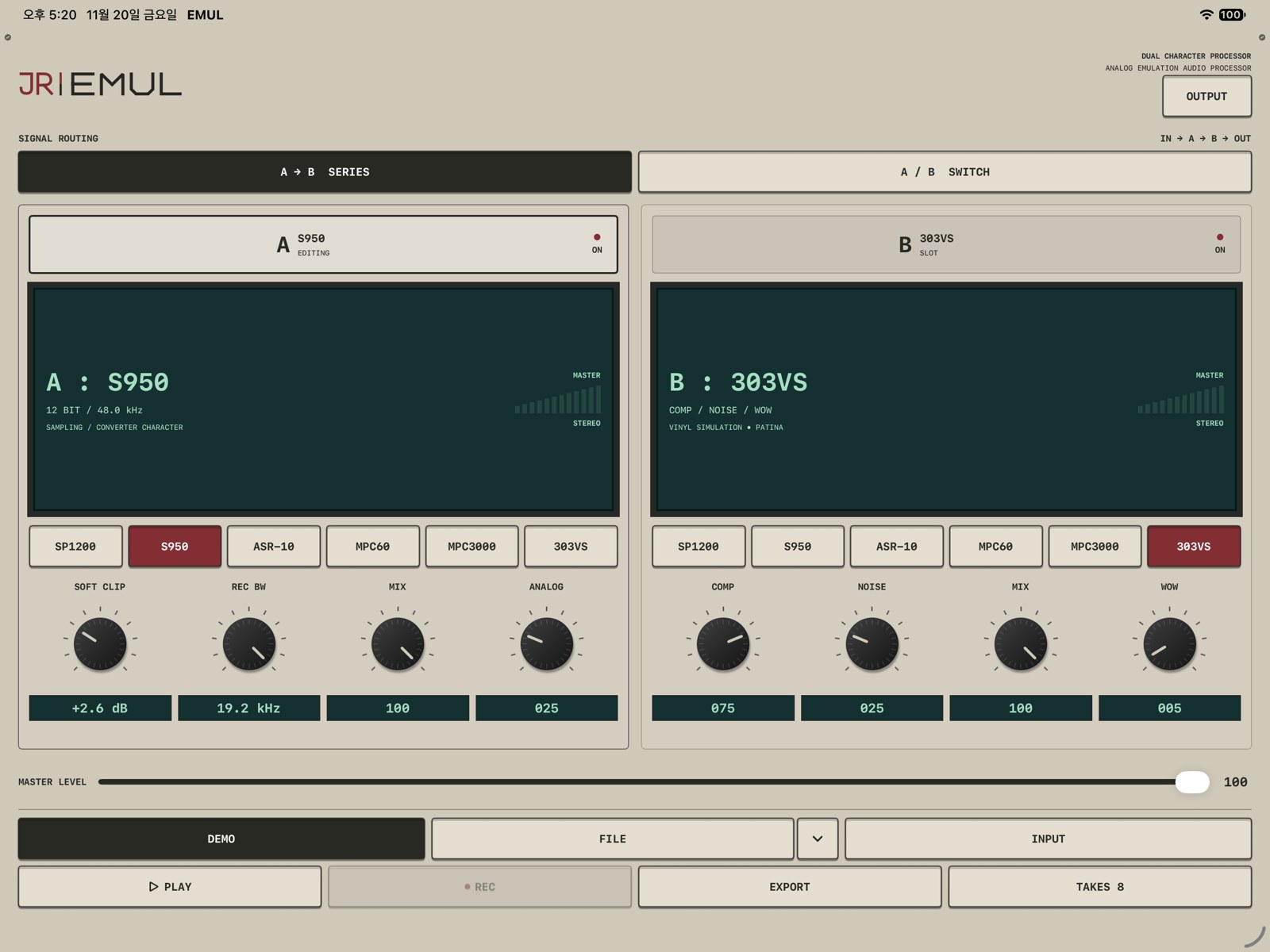
Serial routing passes the signal through Slot A, then Slot B.
This diagram explains routing; its buttons do not process the listening examples.
Each slot keeps its own model, settings, power and MIX. In SERIES, both enabled stages contribute. In SWITCH, selecting A or B chooses the audible path.
OUTPUT / FOUR FILTER FAMILIES
The optional OUTPUT filter follows your two character slots. Shape the combined result with CUTOFF, add DRIVE for color, then set MIX for the balance you want. Choosing a filter does not automatically turn it on.
A low-pass color informed by the SSM2044 filter family. CUTOFF sets the brightness; MOTION adds a restrained, signal-responsive lift. MOTION is not a resonance control.
Try it on drums when you want to soften the top without a pronounced sweeping-filter effect.
Read the SP1200 controlsAn MF6-family six-pole low-pass response with fixed section damping. The interface shows FIXED / 6 POLE in place of a resonance knob.
Use CUTOFF to set the upper edge. The standalone output filter does not add the sampler’s recording emphasis or playback compensation.
Read the S950 controlsA resonant 24 dB/octave ladder low-pass with soft drive. RESONANCE emphasizes the region around CUTOFF. It is a filter family, not a named hardware-unit clone.
Choose it for stronger tone shaping. Find cutoff first, then bring in resonance and drive as needed.
Read the L24 controlsLow-pass softens highs; high-pass clears lows; band-pass focuses a frequency region. RESONANCE adjusts the emphasis around the selected cutoff.
Use BASIC for direct shaping before reaching for a more strongly colored filter.
Read the BASIC controls
Inside the sampler: input, converter and playback behavior define its character. SP1200’s RAW / WARM / DYNAMIC colors and S950’s REC BW belong to that model.
After the slots: OUTPUT adds a separate filter. Choosing OUTPUT S950 does not add S950 sampling or recording emphasis. Choosing OUTPUT SP1200 does not turn another model into a 12-bit converter.
The actual final order is slots → FILTER → COMP → MASTER LEVEL → LIMIT. Each OUTPUT stage has its own ON / OFF control and starts bypassed in a fresh setup.
Open the complete filter guideLISTEN / SAME INPUT, DIFFERENT MODELS
The same pre-firmware Amen Break source feeds each model. Output levels are left as the engine produces them, so changes in body, brightness and loudness are all part of the comparison.
Ready · Dry · same input gain
48 kHz / 24-bit Amen Break · same input gain · natural output levels.
Amen Break · the same 48 kHz / 24-bit stereo pre-firmware source, repeated twice. One shared input gain for every render; no per-model loudness normalization or limiter. Dry may sound quieter: the effect’s natural gain is intentionally retained. Source recording: The Winstons, “Amen, Brother” (1969); drums by Gregory C. Coleman.
FINISH / CAPTURE THE RESULT
Select INPUT to process live audio without pressing PLAY. FILE and DEMO use their own playback control.
REC captures your live performance. EXPORT renders a source file with a snapshot of the current settings. TAKES keeps the results ready to preview, name and share.
Insert JR EMUL as an AUv3 audio effect. Your host handles transport and input routing, with plug-in parameters available for automation and project recall.
The searchable manual covers source selection, every model and OUTPUT filter, recording, export, take management and host use.
Read the complete manualGO DEEPER
Explore measured spectra, soft clipping, circuit families and the differences between recording and playback response in one dedicated lab.
Open Sound LabFollow the source-to-take workflow or search for the exact control you need.
Open the manualJR EMUL is in development. Get project news, or explore JR FX for pads, buses and a wider performance-effects workflow.
THE JR FAMILY