Rhythmer Kit
36 complete kits. Replace and shape individual pad sounds.
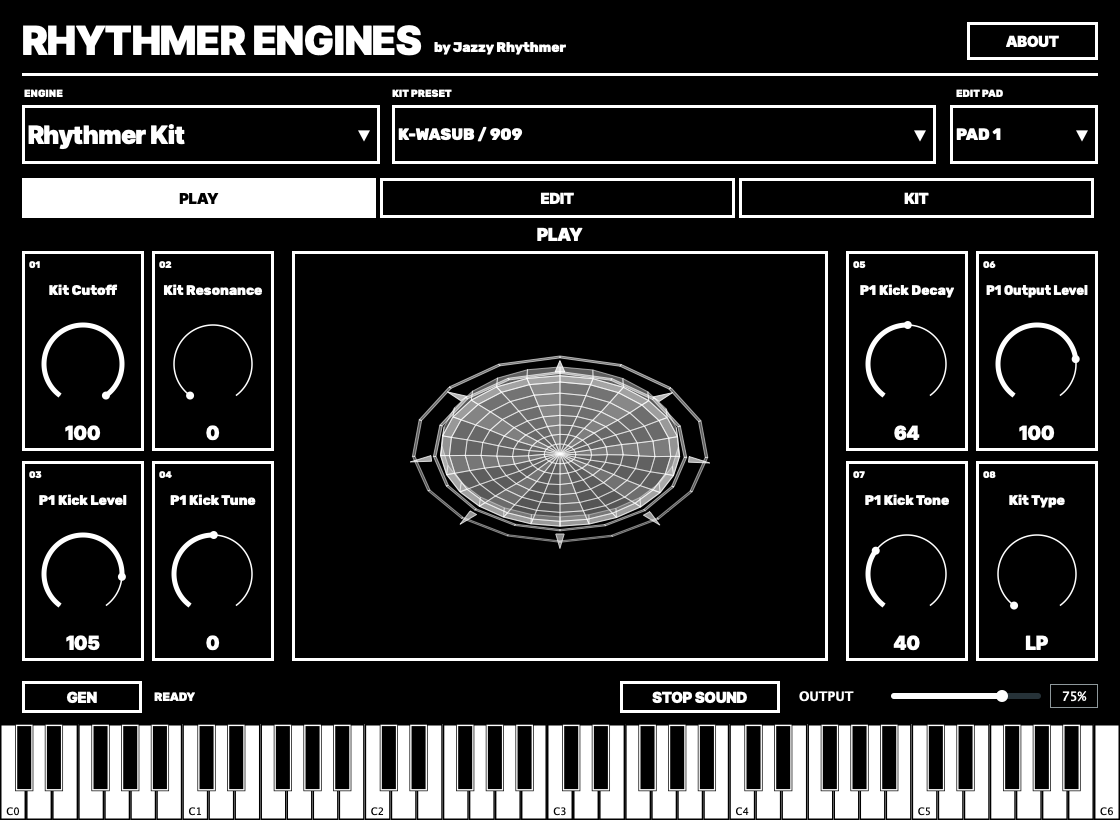
Choose an engine to hear its sound.
Synths, drums and unexpected textures. Find a sound, shape it with hands-on controls, and turn an idea into a MIDI pattern. Bring the RHYTHMER palette into the way you already make music.
0.1.0 EARLY BETA · APPLE SILICON · macOS 13+
THE SOUND PALETTE
Explore the original engine names, factory banks and sound-design controls. Rhythmer Kit brings the drum engines together in one playable instrument.
36 complete kits. Replace and shape individual pad sounds.
Choose an engine to hear its sound.
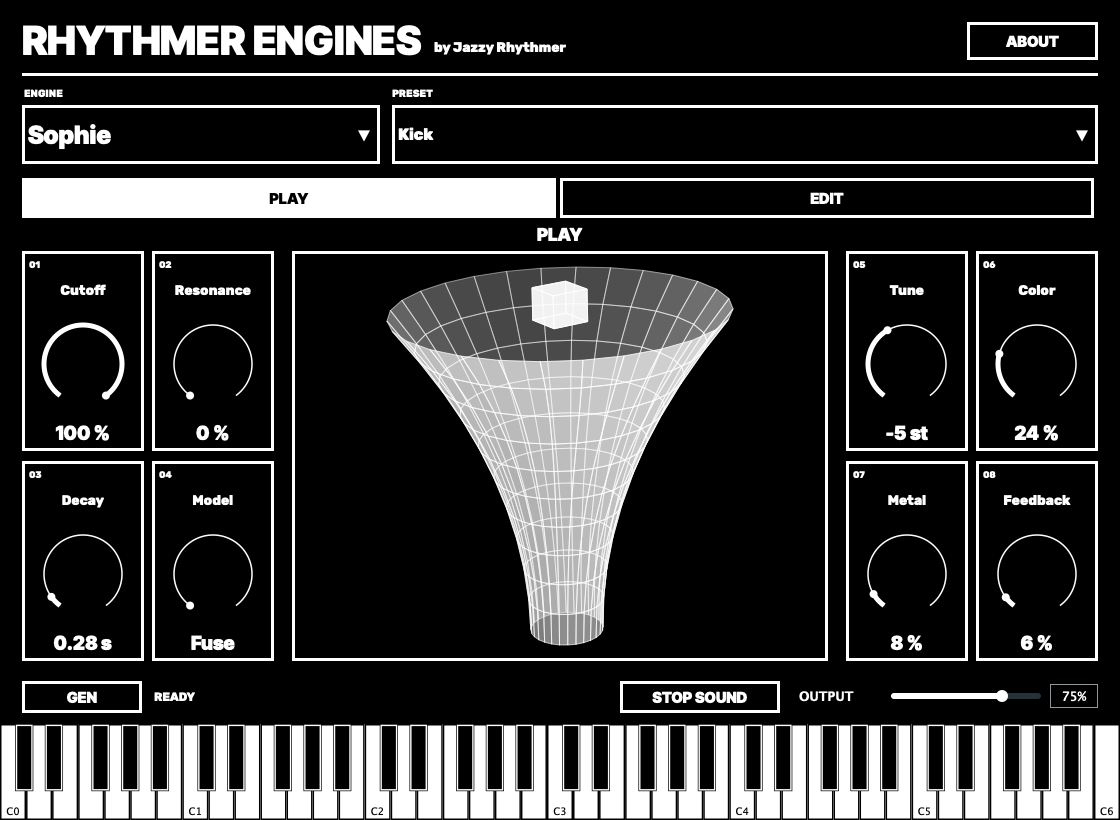
Select an engine to hear a short sound preview. These are the same unmodified sound previews used on the RHYTHMER OS for MPC Sample website, alongside the original 3D artwork. Load the plug-in in your DAW to play and edit your own sounds.
A DIRECT WAY INTO THE SOUND
Eight main controls and an engine-specific animation that responds as you play. Choose a preset and make it your own.
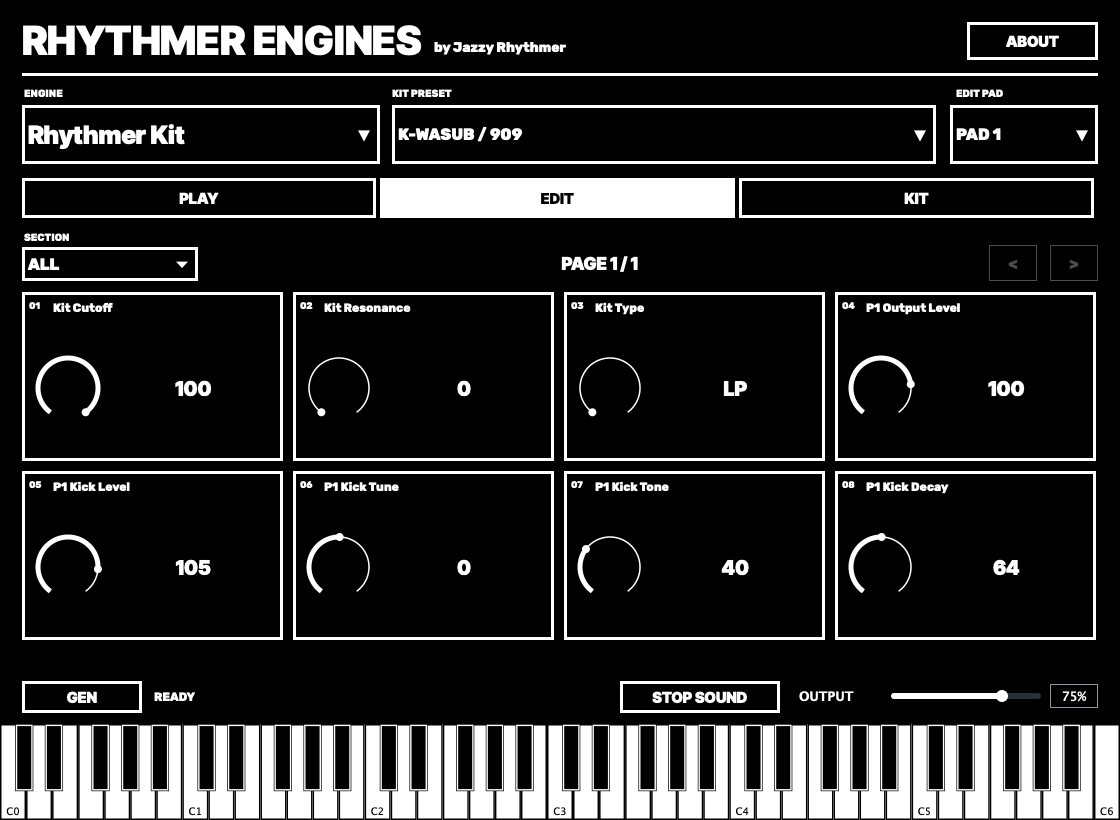
Sound, modulation and effects controls, grouped by purpose. Up to sixteen controls share each compact EDIT page. Related groups stay together, with the current page always visible.
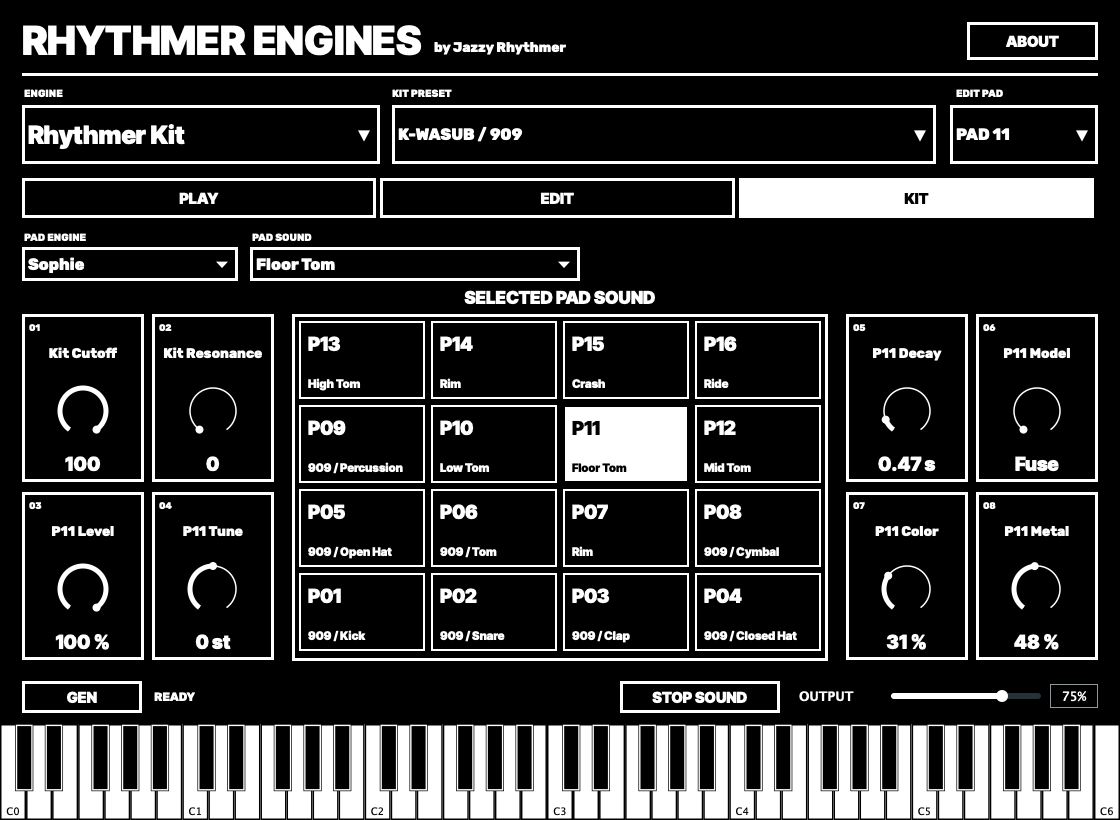
RHYTHMER KIT
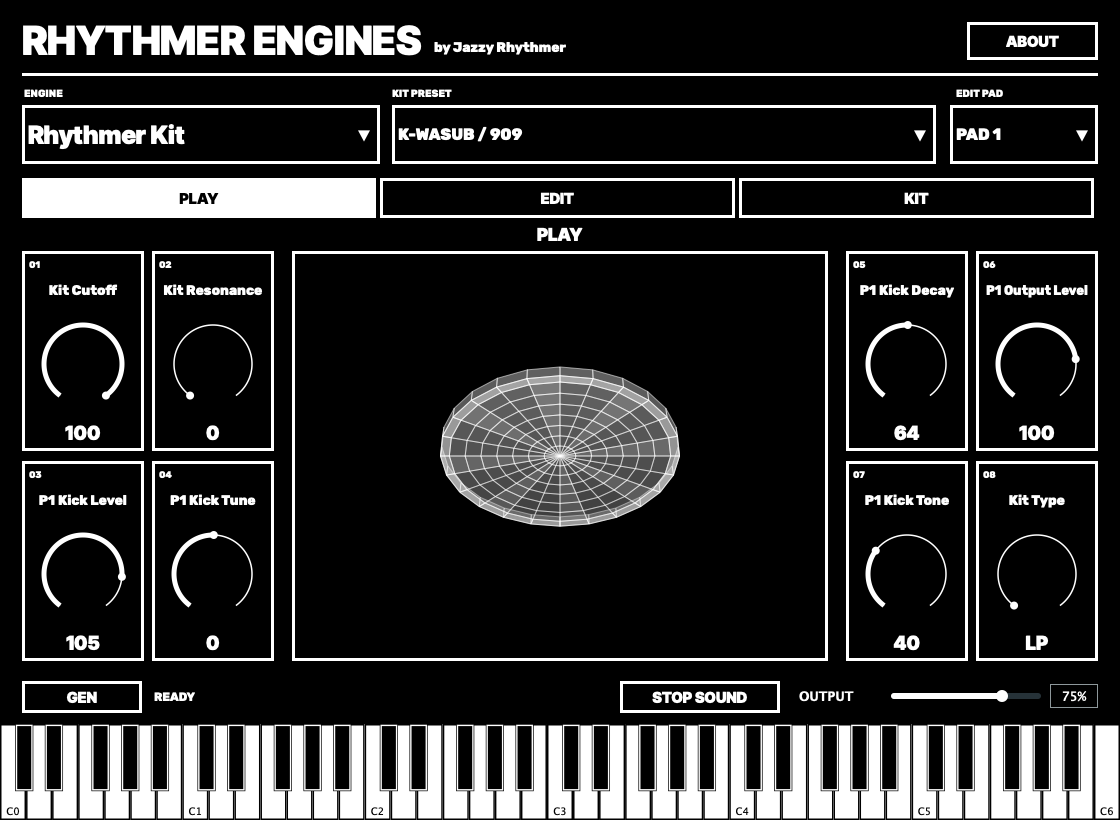
Play all sixteen pads. Choose a complete kit, then replace a pad’s engine or sound. Shape the selected pad and use the kit filter to bring the whole drum mix together.
The starting kit is K-WASUB / 909. Kit levels are balanced around that reference, with a peak guard for the combined output.
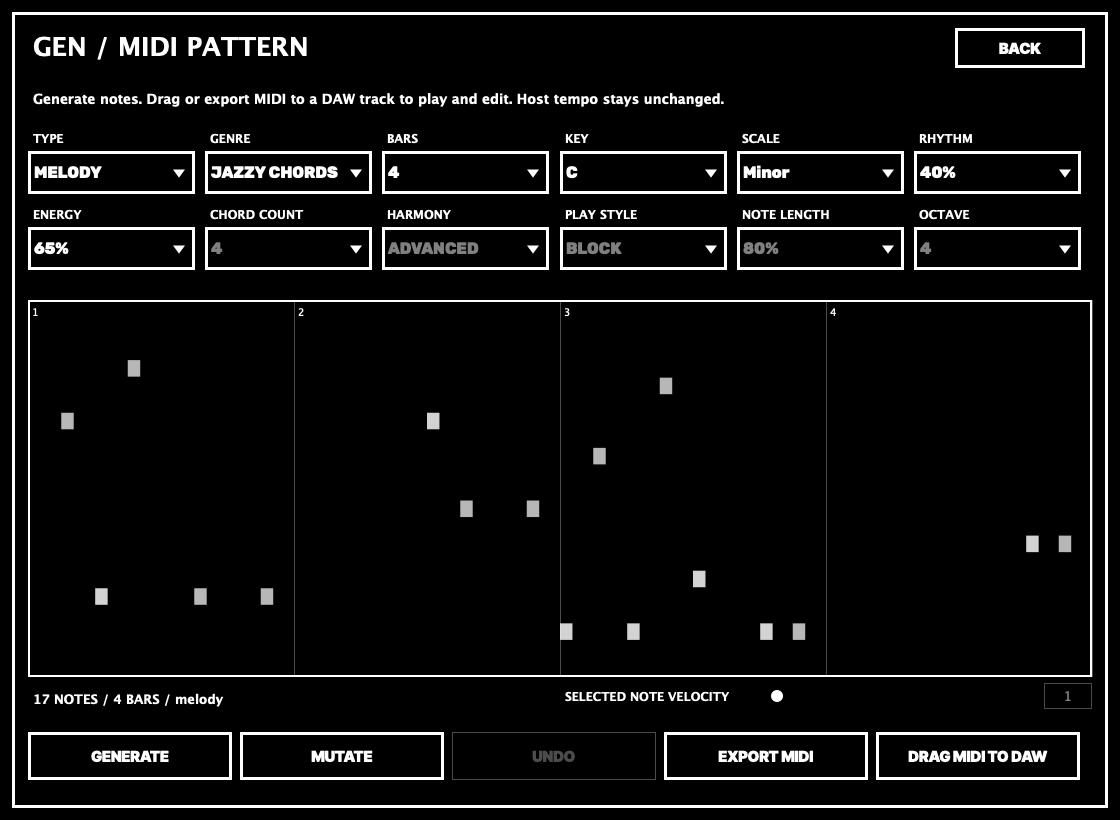
GEN / MIDI PATTERNS
Generate a melody, a chord progression or a drum pattern. Choose a genre, key, scale and length. Explore Block, Arp and Strum chord styles, then try a variation.
Drag MIDI into your DAW or export a MIDI file. Edit and play the clip there, at your project’s tempo. GEN creates the notes; your DAW handles playback.
YOUR FIRST SESSION
Install the AU, VST2 or VST3 bundle, then load Rhythmer Engines on a MIDI instrument track. Open its custom editor. Rhythmer Kit / K-WASUB / 909 is the starting sound.
Play the kit’s pads from notes 36–51 (C1–D♯2 when C3 is note 60), or choose a synth with ENGINE. Use PRESET to browse that engine’s sounds.
Use the eight PLAY controls for the main sound. Open EDIT for the full controls. In a kit, select a pad before changing its sound or parameters.
Open GEN, choose Melody or Chords for a synth, or Drums for a kit. Generate, inspect the notes, then drag MIDI into a DAW clip lane. Use Export MIDI if your host does not accept a file drag.
Incoming MIDI velocity reaches the instrument. MIDI GEN keeps note velocities and lengths in the exported file. Save your DAW project to retain the engine, sound edits, kit routing and GEN pattern. STOP SOUND silences held sound; DAW transport stop also clears held notes and sustain.
GEN uses 4/4 and writes no tempo change into its MIDI files. It does not run a second sequencer or provide a real-time MIDI-output port. For Block chords, choose a polyphonic sound; Arp also works with monophonic sounds.
DAWs use different octave names. MIDI note numbers are the reliable reference for the kit: 36–51.
RHYTHMER ENGINES FOR MAC / 0.1.0 EARLY BETA
The complete Mac instrument, with 20 sound engines, 36 Rhythmer Kits and MIDI pattern generation.
DOWNLOAD AU + VST2 + VST3 ZIPAd-hoc signed. Not Apple-notarized. If macOS or your DAW blocks loading, see loading help.
Use your DAW in native Apple Silicon mode. Install any supported format.
INSTALLATION / COPY THE COMPLETE BUNDLES
Extract the downloaded ZIP and quit your DAW. Use Finder’s Go → Go to Folder (Shift–Command–G) to open the destination below.
Copy this complete bundle:
AU/Rhythmer Engines.componentInto this folder:
~/Library/Audio/Plug-Ins/Components/Copy this complete bundle:
VST2/Rhythmer Engines.vstInto this folder:
~/Library/Audio/Plug-Ins/VST/Copy this complete bundle:
VST3/Rhythmer Engines.vst3Into this folder:
~/Library/Audio/Plug-Ins/VST3/Keep one installation location for each format. If you have an older test copy in /Library/Audio/Plug-Ins/, back it up outside the plug-in folders before installing this user-folder copy.
If a folder is missing, open ~/Library/ in Finder and create Audio, then Plug-Ins, then Components, VST or VST3 inside it.
/Library/Audio/Plug-Ins/ as well as your user Library.BUILT ON SHARED KNOWLEDGE
Original synthesis belongs to its authors. RHYTHMER brings these engines together with porting, integration, a common interface and MIDI tools by Jazzy Rhythmer. The instrument retains components from Melodee by Kerem Kilic / Ellic Studio and the original engine projects.
Engine code, preset data and bundled components retain their respective licences. Full notices and matching source accompany the download.
KEEP IN TOUCH
Music, sessions and tools for the next idea.
STUDIO NOTES / EMAIL UPDATES
Get new instrument releases, development previews and music from Jazzy Rhythmer.
Free to join. Confirm your email to subscribe. Unsubscribe anytime. Privacy & Data
OPEN THE SIGNUP PAGEJAZZY RHYTHMER / INDEPENDENT MUSIC & TOOLS
I make music and develop these tools from my own studio. Follow along for sessions, sounds and work in progress.
JOIN ME ON PATREONGET IN TOUCHYour support helps me keep developing Rhythmer Engines and other independent music tools.
If you enjoy the instruments, you can leave a tip or follow the work on Patreon.
You can also support my work on Patreon.